Virtual try-on on your own photo
See a piece, a whole outfit or a look you spotted on a photo of you, before you buy it or wear it. Your face, body and pose stay just as they are; only the clothes change. All you need to start is one photo of yourself.
Or just use drape in your browser
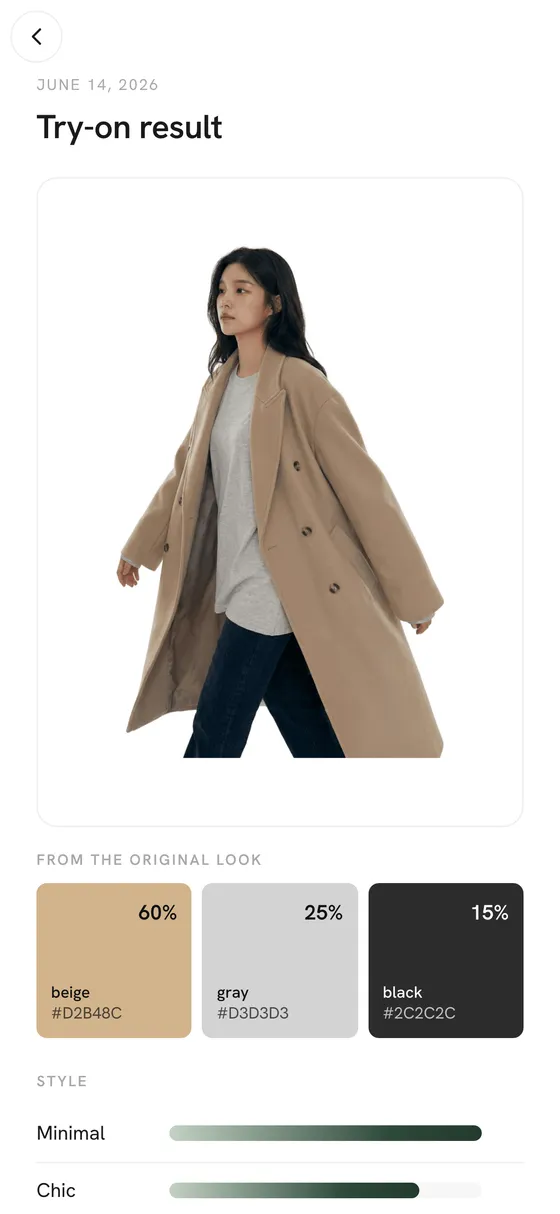
How it works
- Add one photo of yourself: standing, facing the camera, in good light. Only you can see it.
- Pick what to try: a piece from your closet, a full outfit, a look from Trends, or a photo of an outfit you saw somewhere.
- drape makes the picture. Keep it, compare it with others, or save the look as an outfit.
Good to know
- A try-on is an AI picture of how the clothes would look on you. It doesn't measure you, so it can't tell you if a size will fit.
- Swimwear and underwear get turned down by the image model's safety filter, whatever the photo. When that happens, drape tells you why instead of showing an error code.
- Try-ons use credits. You get free ones every day, and new accounts and invites come with bonus credits. No subscription.
Questions
Do I need lots of photos of myself?
Nope. One clear photo is enough to start. You can add more later in Settings.
Who can see my try-on photos?
Just you. Your photo and your results stay private unless you choose to share a look, and if you delete your account, they go with it.
Can I try on clothes from an online shop?
Yes. Save the product to your wishlist from a link or a screenshot, or grab the drape extension for Chrome. It adds a Try on button to clothes in online shops.
More in drape
Get drape
Free on iPhone, Android and the web. You get free try-on credits every day, and adding clothes is always free.